One app for patients, caregivers and family members, with access appropriate to each role.
NEW FOR AGENCY TEAMS
A clearer view of care. A practical way to follow through.
New tools help your agency grow its business, support Caregivers and strengthen customer relationships.
01
Expand your agency’s business
Help new customers move from questions to care requests with Ask VitaPonte. Make repeat and recurring bookings easier, keep your agency’s brand visible and strengthen customer relationships through clear visit updates. Give your team more opportunities to follow up with interested families and grow completed care bookings.
02
Care Watch: thoughtful follow-up
Bring visit concerns, patient check-ins and Caregiver explanations into one review. Respectful enquiries help your agency understand service changes and requests for private arrangements. Review the available evidence, record explanations and assign follow-up actions, supporting trusted customer relationships while keeping decisions with your agency’s team.
03
Caregiver performance reporting
Review saved evaluations alongside booking and visit activity to understand Caregiver performance over time. Identify strengths and areas where a Caregiver needs support, record improvement actions and follow up on below-expectation assessments. Give supervisors a clearer basis for coaching, recognizing good work and coordinating consistent customer service.
04
Everyday help and useful answers
Ask VitaPonte helps you use the app and ask general questions about wellbeing and aging at home, including staying active, social connection and everyday home routines. Agency staff can also explore authorized Caregiver activity, performance and Care Watch records, with downloadable PDF reports.
Care Watch flags are prompts for review, not findings of wrongdoing. Ask VitaPonte respects agency permissions and reports the limits of connected records. Confirm available features and integrations in your agency demonstration.
ASK VITAPONTE IN THE APP
Helpful answers. A clear next step.
Help with the app, wellbeing and aging at home—all in one accessible place.
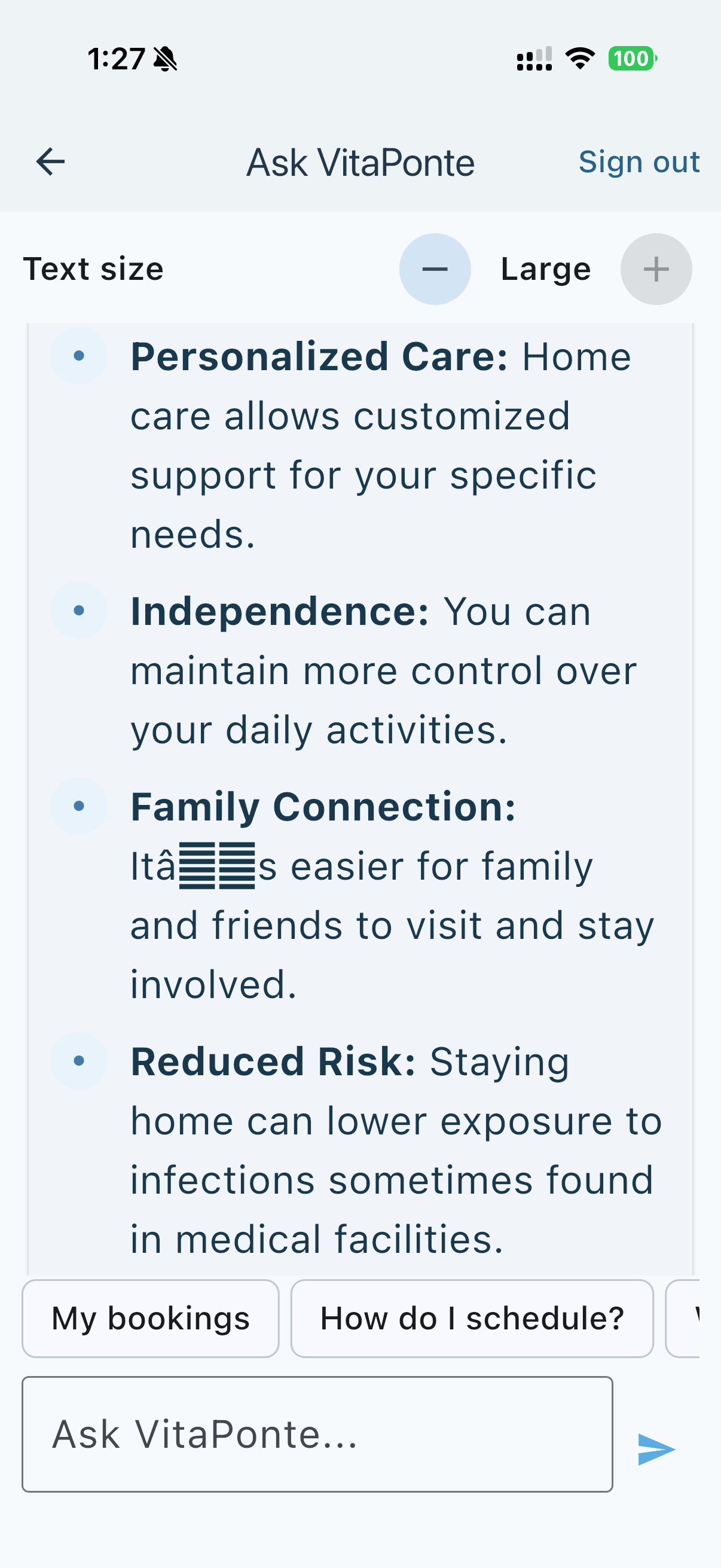
Ask how to book care, follow a visit or use Family Connect. You can also explore general questions about wellbeing, staying connected and aging at home. This app screen shows adjustable text size, suggested questions and a field for asking VitaPonte directly.
General wellbeing guidance supports everyday understanding and does not replace personalized advice from a healthcare professional. Helping people understand homecare and find the booking process can create more opportunities for your agency. Routine assistance can also give staff more time to follow up with new customers.
App screenshot supplied by VitaPonte. Example answers illustrate the interface; pilot scope confirms available services and data connections.
Practical guidance for customers, families and agency teams.
1. Help using the app
Ask where to start, how to request care, arrange recurring visits, follow a booking or find Wallet and Profile. Get explanations of Family Connect, patient permissions and the different app roles, with a clear next step when you need help.
For example: “How do I arrange a weekly visit for my mother?”
2. Wellbeing and aging at home
Explore general questions about everyday routines, staying active, companionship, social connection and making life at home more comfortable as we age. Ask VitaPonte helps explain these topics in plain language and can help you prepare questions to discuss with your care team.
For example: “What can help an older adult feel more connected at home?” General information complements professional advice.
3. Answers for agency teams
Authorized staff can ask about recorded Caregiver activity, visit progress, performance evaluations and Care Watch follow-ups. Review what is recorded, what needs attention and which information is missing, using the records available to your agency.
For example: “Which Caregiver reviews need follow-up?” Download a PDF report to support team review. Concerns remain subject to human assessment.
ASK VITAPONTE
A routine question. An answer without an office call.
A permitted family member can ask for a visit update. Ask VitaPonte uses the connected visit record and respects the patient’s access choices.
Illustrative AI conversation with fictional details. Live answers require connected visit data and authorized access.
EXAMPLE FAMILY QUESTION
“Has Mom’s caregiver arrived, and what time does today’s visit finish?”
Ask VitaPonte
Yes. Jordan checked in at 9:02 AM. Today’s visit is scheduled to finish at 1:00 PM. Would you like to open Family Connect?
MORE BUSINESS FOR YOUR AGENCY
How Ask VitaPonte can help turn enquiries into bookings
Answering a question is the first step. Helping a family take the next booking step creates an opportunity for your agency.
Help new customers get started
Explain your agency’s services and booking process. Guide an interested family to a care request instead of leaving the enquiry unanswered.
Make repeat care easier
Help existing customers find the recurring booking option and request another visit. Your agency confirms caregiver availability and the arrangement.
Give staff time to follow up
Handling routine updates can free your office team to respond to new enquiries and help customers who need personal attention.
ILLUSTRATIVE BOOKING CONVERSATION
“Can I arrange four hours of care for Mom every Tuesday?”
Ask VitaPonte
You can request a recurring schedule through Booking. Choose Tuesday and four hours, then review caregivers available at the requested time. Your agency confirms the arrangement. Would you like to start a booking request?
A clear route to more care bookings
The intended flow connects service questions to a booking request, then to agency confirmation and completed care. Clear visit updates can also support customer confidence and retention.
The pilot will measure enquiry-to-booking conversion, repeat bookings and routine call volume. More revenue is a benefit to validate, not a guaranteed result.
01
Booking that welcomes returning customers
Saved details, recurring care, available caregiver profiles and optional favorites.
02
Visit updates that keep families informed
Caregiver acceptance, departure and arrival updates, visit time records and confirmed summaries.
03
Ask VitaPonte throughout the experience
Help using the app, plus general guidance on wellbeing and aging at home. Type or dictate a question, with permission-aware visit answers and a route to agency staff.
04
An agency view of care coordination
Manage your roster, schedules, prices, role access and eligible care receipts.
A SIMPLE VISIT FLOW
From booking to a confirmed visit record
Customers see caregivers available at their requested time. Favorites remain optional within that list.
Book
Review saved details, choose hours and request recurring care.
Confirm
The agency confirms the arrangement and the caregiver accepts the work.
Follow
Departure and arrival updates keep the patient and approved family informed.
Complete
Record visit time and the stop reason. Confirm summaries and reconcile completed, paid care.
Readable, familiar navigation
Home, Booking, Wallet and Profile. Clear text and a consistent place to find Ask VitaPonte.
Family Connect permissions belong in Profile. Patients can approve, decline or revoke participation. Administrators control role changes and agency access.
The pilot confirms available features, device support, notifications and integrations before live use. The walkthrough illustrates the intended experience.
Five measurements, recording completeness, daily graphs, seven-day averages and weekly comparisons.
Equal-size reference squares
Red outside the public reference, green within, orange near a boundary and gray for unavailable or unsupported comparisons.
Personal patterns
Experimental comparison with the person’s earlier baseline. This is not validated illness prediction or an automatic medical alert service.
A simple summary
Everyday wording explains the selected readings, changes and missing information.
Preview before saving
Review the graphs, daily values, public references and closing summary before saving or sharing a report.
Personal readings are available through the iPhone app with Apple Health permission. The public web explorer does not access your watch. Native source is updated; signed releases and physical-device verification remain separate.